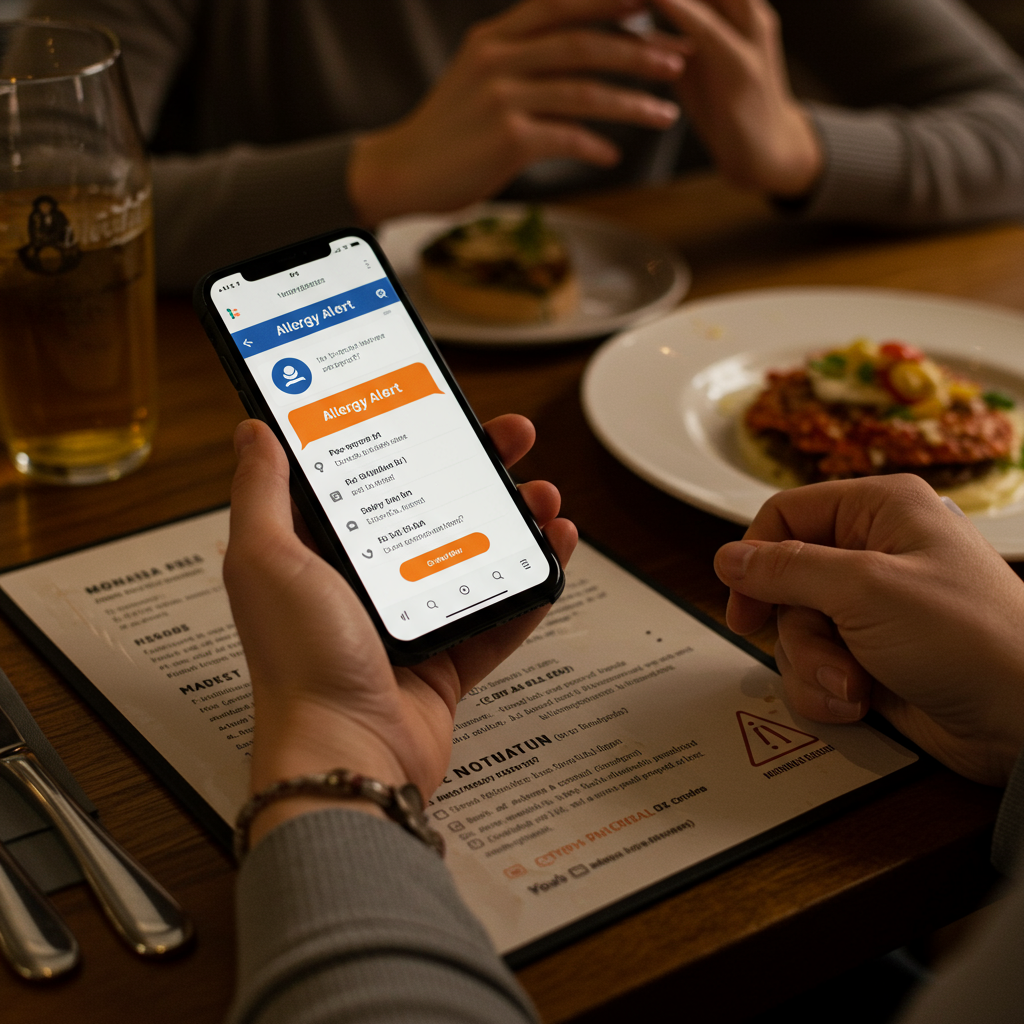
An AI menu assistant is a mobile app that reads a restaurant menu — paper, screen, or photo — and lets you ask conversational questions about it: ingredients, allergens, dietary fit, and recommendations. Menu Buddy is one example, designed for iOS. This guide explains how the technology works, what features matter, who benefits, and how AI menu assistants compare to other tools you might already use.
Key Takeaways:
- An AI menu assistant combines OCR, language models, and a culinary knowledge base to read any menu and answer questions about it.
- The main use cases are food allergies, special diets, and faster ordering.
- AI menu assistants outperform ingredient databases (which don't know this restaurant) and allergy cards (which don't filter the menu).
- Choose one with personalized profiles, cross-contamination awareness, and a clear privacy model.
- Menu Buddy is a free iOS reference implementation; this guide explains the category, not just one app.
What Is an AI Menu Assistant?
An AI menu assistant is a smartphone app that turns a restaurant menu into something you can have a conversation with. Instead of reading every dish description and guessing what's safe or appealing, you scan the menu and ask questions in plain English: "What's gluten-free here?", "Which dishes are under 600 calories?", "Show me everything without dairy."
The app uses computer vision to read the menu text, large language models (LLMs) to understand the dishes in context, and a culinary knowledge base to fill in details the menu leaves out — like that "carbonara" typically contains egg and dairy, or that "tempura" is usually battered with wheat. Your saved dietary profile is layered on top so every answer is personalized to you.
The category emerged in 2023–2024 as smartphone AI matured. Before this, diners with allergies or specific diets had to rely on a patchwork of tools: generic ingredient lookups, allergy cards, and direct conversations with servers. An AI menu assistant collapses all of those into one app focused on the moment that actually matters — when you're holding the menu and need to decide what to order. Menu Buddy was built specifically for this moment, combining all three layers into a single free iOS app.
How Does an AI Menu Assistant Work?
Under the hood, an AI menu assistant runs three layers in sequence: optical character recognition, language understanding, and personalized filtering. Knowing the stack helps you understand why the answers feel smart and where they have limits.
Step 1: OCR — Reading the Menu
When you snap a photo, the app uses optical character recognition (OCR) to extract the text. Modern OCR is excellent on standard printed menus but still struggles with decorative fonts, handwritten chalkboards, watermark backgrounds, and weird lighting. Quality apps like Menu Buddy run multiple OCR passes and reconcile the results, handling multi-column layouts and low-light restaurant conditions.
Step 2: NLP and Culinary Knowledge
The extracted text gets passed to a language model that understands cooking. It knows "saag paneer" is an Indian dish of spinach and Indian cheese, that "ponzu" sauce contains soy, that "carbonara" almost always includes egg yolk and cured pork. This is what sets an AI menu assistant apart from a simple ingredient database — the AI gives you the meaning of those dishes in the context of a real kitchen. Menu Buddy pairs this culinary intelligence with a curated knowledge base so even dishes with vague names get properly analyzed.
Step 3: Personalization Against Your Profile
The AI cross-references each dish against your stored profile (allergies, intolerances, diet preferences, dislikes). The output isn't a generic ingredient list; it's a personalized assessment: "This dish is likely safe for your soy allergy and fits your low-FODMAP diet, but it contains garlic, which you marked as a trigger." In Menu Buddy, your profile data stays on-device — the app never uploads your allergy or diet information to external servers.
Key Capabilities to Look For
Not every AI menu assistant has the same feature set. When evaluating one, check whether it handles all five core capabilities below. A serious assistant should cover at least four of them well.
Menu Scanning Quality
The OCR step has to work on real-world menus, not just clean PDFs. Look for an app that handles multi-column layouts, decorative fonts, low light, and at least basic handwriting. Menu Buddy prompts you to re-take a section if scan quality is low, so you always start with clean text before the AI analyzes the dishes.
Allergy & Dietary Filtering
You should be able to save a profile with multiple allergies, intolerances, and diet rules — not just pick a single "filter." The app should layer these correctly: a vegan with a soy allergy needs both filters active at once. Menu Buddy supports stacked profiles out of the box — combine any number of allergies, intolerances, dietary preferences, and personal dislikes in one profile.
Conversational Chat
You should be able to ask follow-up questions, not just select from preset filters. "Which of these is lowest in carbs?" "What about the lamb option — does it have mint sauce?" Conversational depth is what separates an AI menu assistant from a glorified filter. Menu Buddy's chat remembers context within a session, so every follow-up question builds on what you've already discussed.
Voice Input
Hands-free interaction matters when you're at the table. Voice input also helps diners with vision impairments or who find typing on a phone awkward in a restaurant setting.
For a hands-on walkthrough of these features in action, see our complete Menu Buddy iOS guide.
AI Menu Assistant vs Traditional Approaches
An AI menu assistant isn't the only way diners try to navigate menus safely. Three older approaches still dominate — but each has a clear weakness that the AI category solves.
| Approach | What It Does Well | Where It Falls Short |
|---|---|---|
| Ingredient Database App | Detailed packaged-food info | No knowledge of the specific restaurant's menu |
| Allergy Card App | Communicates needs to staff in any language | Doesn't help you actually pick a dish |
| AI Menu Assistant | Reads this menu, explains every dish, filters to your profile | Needs a data connection for best results |
vs Ingredient Databases
Apps like Yuka or Spoonful are excellent at packaged foods because every box has a barcode and a fixed ingredient list. At a restaurant they're useless: there's no barcode on a plate of pasta, and the chef's specific preparation isn't in any database. Menu Buddy solves this by reading the actual menu in front of you and applying culinary knowledge to infer ingredients — no barcode needed.
vs Allergy Cards
Allergy card apps generate cards that explain your needs to staff. That's genuinely useful — but it doesn't help you scan the menu first to find your shortlist. An AI menu assistant does the screening; the card (or a direct conversation) is the second layer of verification. The two are complementary, not competing.
vs Asking the Server
The server is the final source of truth, and you should always confirm severe allergies with them. But asking about ten dishes one by one is slow and awkward for both sides. With Menu Buddy, you walk in already knowing your two or three safest candidates, and the server conversation becomes a quick verification rather than a twenty-question game.
Who Benefits Most From an AI Menu Assistant?
The category started as a tool for people with food allergies but has expanded to cover a much broader audience.
Diners With Food Allergies
This is the canonical use case. Pre-screening every dish against an allergy profile is faster, less stressful, and more thorough than asking the server about each menu item. Menu Buddy was designed with allergy safety as the top priority — it flags potential cross-reactivity and explains why a dish may be unsafe, not just that it is. Our complete guide to eating out with food allergies goes deep on the safety system around this.
People on Special Diets
Keto, vegan, low-FODMAP, paleo, kosher, halal, low-sodium — every structured diet benefits from being able to ask "which of these fits?" instead of mentally calculating each option. Our cluster of diet-specific guides (keto, low-FODMAP, vegan) covers the specifics — each guide shows how Menu Buddy handles that particular diet.
International Travelers
An AI menu assistant helps travelers understand unfamiliar dishes by explaining ingredients, preparation methods, and allergen risks — so you can order confidently at any restaurant. Menu Buddy recognizes dishes across dozens of cuisines, from Japanese izakaya menus to Italian trattoria specials, and explains each dish in plain English regardless of the original language.
Restaurants
Restaurants benefit even though the app is consumer-facing: faster ordering, fewer ingredient questions for servers, fewer allergy incidents, and higher guest satisfaction. We covered this from the restaurant side in 7 benefits of an AI menu assistant for restaurants.
Limitations & Honest Trade-Offs
An AI menu assistant isn't magic. Knowing the limits helps you use one responsibly.
- Not 100% accurate on every dish. Recipes vary by chef; a "creamy" pasta might be dairy-based at one restaurant and cashew-based at another. The AI flags what's likely, not what's certain.
- Cross-contamination is invisible to AI. Shared fryers, shared cutting boards, and contaminated ingredients can't be detected from a menu. For severe allergies, always confirm kitchen practices with staff.
- Handwriting and chalkboards are hard. Decorative or handwritten menus reduce OCR accuracy. Most apps will ask you to verify or retake unclear sections.
- Data connection often required. The richest answers come from cloud AI. Offline modes exist but cover less.
- It's a tool, not a substitute for medical advice. Severe allergies still demand the standard precautions: clear communication with staff, medication, an action plan.
How to Choose the Right AI Menu Assistant
If you're evaluating apps in this category, here's a checklist that filters out the weak entries:
- Does it actually read your menu? Test it on a real, busy menu — not the marketing screenshot. Try a multi-column layout with photos.
- Can it stack multiple filters? A vegan with a soy allergy needs both rules active simultaneously.
- Does it explain its reasoning? "Dairy-free ✓" is less useful than "Dairy-free — the white sauce here is cashew-based."
- Is the privacy story clear? Your allergy profile is medical-adjacent data. The app should store it privately (ideally on-device).
- Is the conversation natural? You should be able to ask follow-ups, not just pick from preset filters.
- Does it work offline at all? Travel and spotty restaurant Wi-Fi make this useful.
- What's the pricing model? Free with optional premium is the norm; watch out for apps that lock basic safety features behind a paywall.
Menu Buddy checks every box on this list: real-world menu scanning, stacked allergy and diet filters, explainable reasoning, on-device profile storage, natural conversational chat, offline OCR fallback, and a free tier that covers all core safety features.
Menu Buddy — The AI Menu Assistant Built for Real Dining
Menu Buddy is the free iOS AI menu assistant our team built to put every concept in this guide into practice. Rather than just describing the category in the abstract, we wanted to ship an app that diners can test right now — at their next restaurant meal.
Here's what Menu Buddy does as an AI menu assistant:
- Scans any menu — printed paper, laminated cards, menus on a screen, or photos shared by friends. Menu Buddy's OCR handles multi-column layouts, dim lighting, and decorative fonts.
- Stacked dietary profiles — combine multiple allergies, intolerances, diet preferences (keto, vegan, low-FODMAP, halal, etc.), and personal dislikes into one profile.
- Conversational chat with voice — ask follow-up questions by typing or speaking. Menu Buddy explains why a dish is safe or risky, not just a yes/no label.
- On-device privacy — your allergy and diet profile never leaves your phone. Menu Buddy processes your personal data locally.
- Free to use — core features including allergy scanning and chat are free. Optional premium unlocks deeper analysis and unlimited scans.
Download Menu Buddy free on the App Store, or read our step-by-step Menu Buddy iOS guide for a full feature walkthrough with screenshots.
The Future of AI Menu Assistants
The category is still young. Three directions look likely over the next 2–3 years:
- Real-time voice ordering where the AI talks to the server on your behalf, summarizing your needs.
- Restaurant-side integration — point-of-sale systems sharing live ingredient data so the AI doesn't have to infer from dish names.
- Hyper-personalization — the AI learning your taste profile so deeply that recommendations feel like a friend who knows you.
Menu Buddy is actively exploring all three directions — if you want to follow the roadmap, download the app and turn on update notifications. For a deeper look at where the category is heading, see the future of conversational AI in restaurant apps.
Frequently Asked Questions
What is an AI menu assistant?
An AI menu assistant is a mobile app that reads a restaurant menu — paper, screen, or photo — and lets you ask conversational questions about it: ingredients, allergens, dietary fit, and recommendations. Menu Buddy is one example, designed for iOS.
How does an AI menu assistant know what's in a dish?
It combines OCR (to read the menu text), large language models (to understand cooking methods and cuisine), and a curated culinary knowledge base (to map dish names to typical ingredients). Your dietary profile is layered on top so dishes are flagged for your specific needs.
Is an AI menu assistant safe for severe food allergies?
It's a powerful safety layer but never a substitute for confirming with restaurant staff. The AI dramatically narrows the risk by pre-screening dishes, but kitchens share equipment and recipes change, so a final human check is still recommended for severe allergies.
Do I need internet for an AI menu assistant to work?
Most AI menu assistants need a data connection for the most accurate analysis because they query cloud-based culinary databases. Menu Buddy uses cloud AI for richer answers, with on-device fallbacks for basic OCR.
How is an AI menu assistant different from an ingredient database?
An ingredient database gives you raw ingredient lists. An AI menu assistant understands what the dish actually is — its typical ingredients, how it's prepared, common allergen risks, and whether it fits your diet — then explains that in plain English.
Is Menu Buddy free?
Yes. Menu Buddy is free to download and use on iOS. Core features — menu scanning, allergy filtering, dietary profiles, and conversational chat — are all included at no cost. An optional premium tier unlocks deeper analysis, unlimited scans, and priority processing.
Can an AI menu assistant handle multiple food allergies at once?
Yes. A good AI menu assistant lets you stack multiple allergies, intolerances, and diet rules in a single profile. Menu Buddy supports unlimited profile entries — for example, you can combine a tree nut allergy, lactose intolerance, and a low-FODMAP diet, and the app filters every dish against all of them simultaneously.
Does Menu Buddy work with foreign-language menus?
Menu Buddy's OCR and AI models recognize dishes across dozens of cuisines and languages. Whether you're scanning a Japanese izakaya menu, a French bistro carte, or a Thai street food board, Menu Buddy identifies the dishes and explains them in English, including allergen risks and dietary fit.